rss2email: un'interfaccia più calma e veloce
Abbiamo rinnovato rss2email con un layout più pulito e flussi di lavoro più snelli. Il servizio resta leggero, ma le cose che fai ogni giorno—aggiungere feed, controllare la freschezza, regolare le email—ora sono più rapide e semplici.
Demo dal vivo: https://rss2email.dtz.rocks/
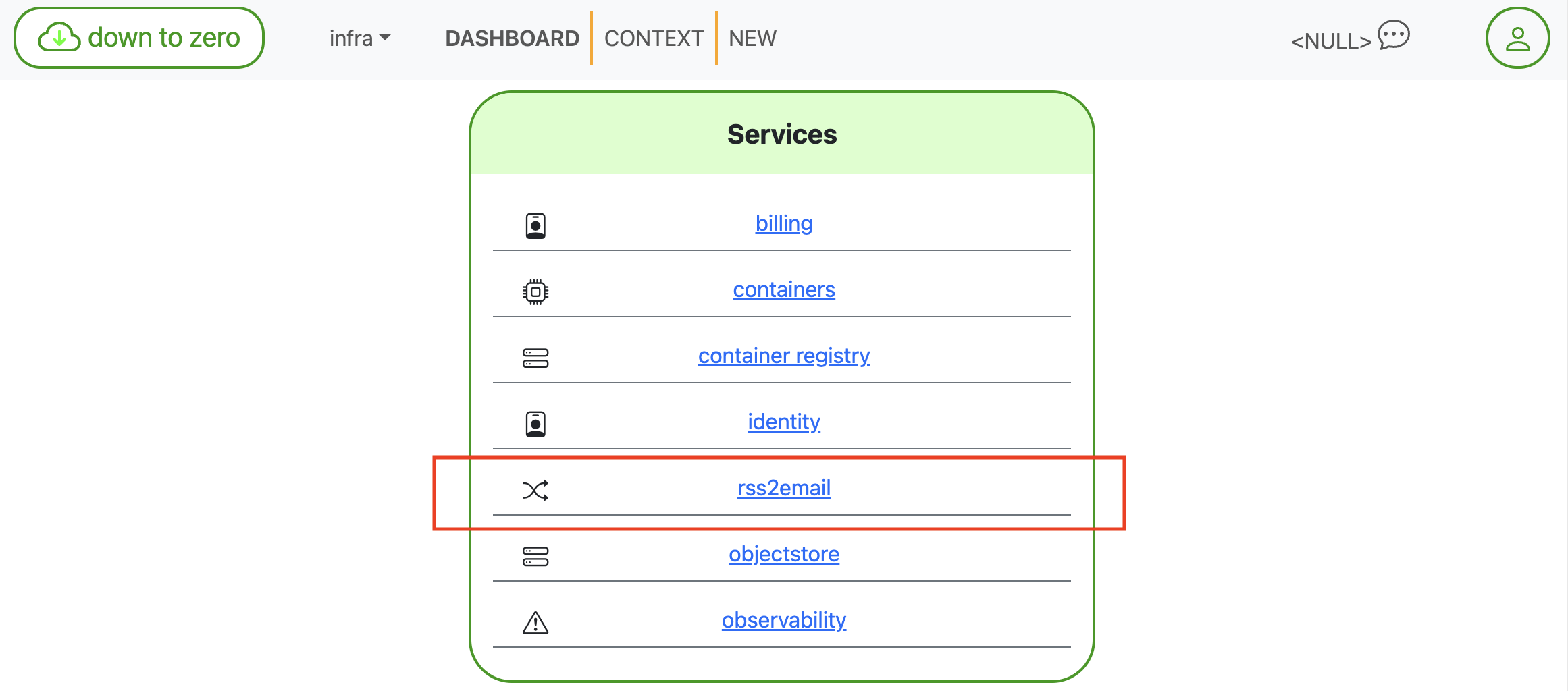
La dashboard posiziona rss2email accanto agli altri tuoi servizi per un accesso rapido.
Novità (e perché è meglio)
Panoramica a colpo d’occhio
La schermata FEEDS mostra conteggi per le notifiche in arrivo (1 giorno, 1 settimana, 1 mese) oltre al numero totale di iscrizioni. È il check rapido per capire “quanto sarà rumorosa la mia casella?”.
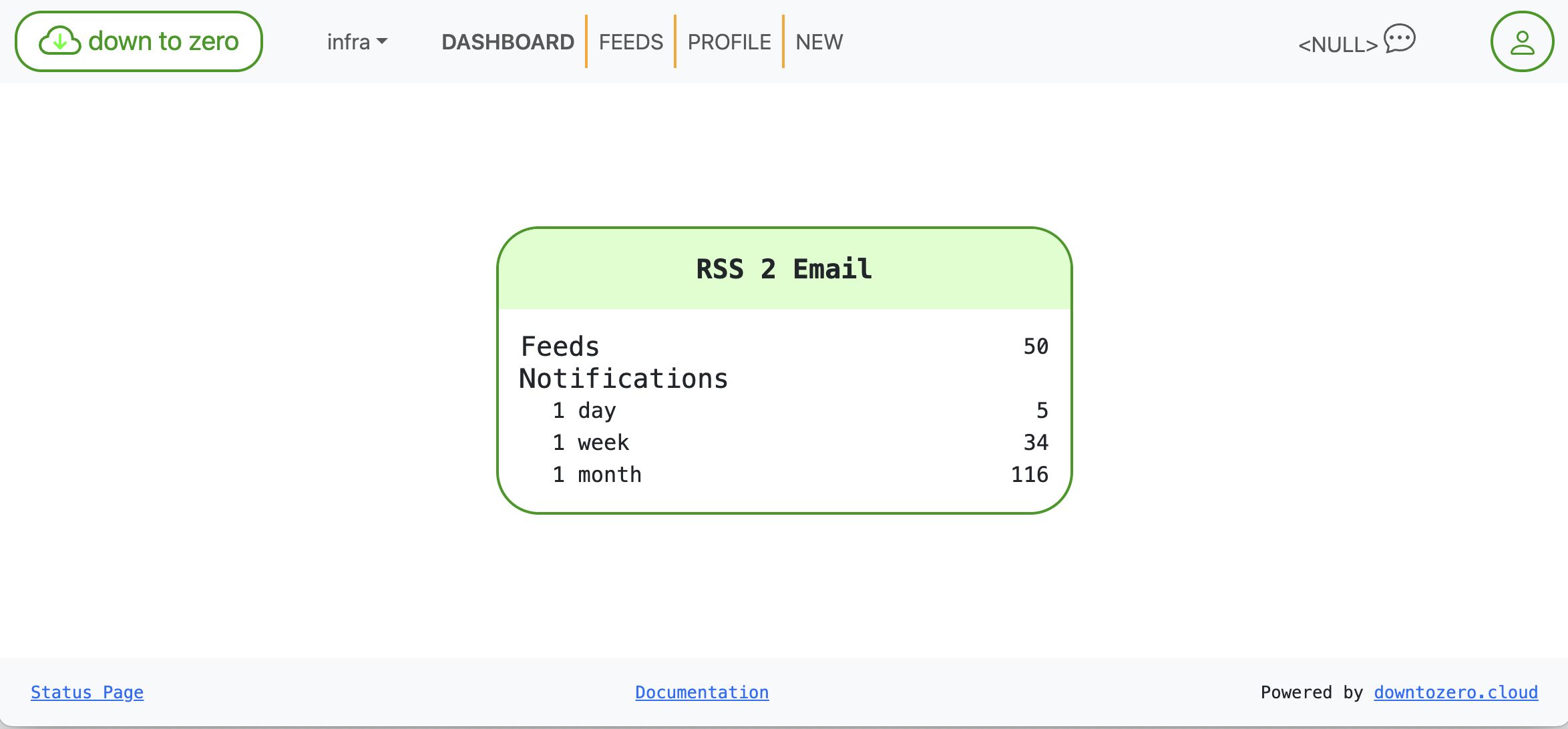
Statistiche a colpo d’occhio per i feed e le notifiche in arrivo.
Salute dei feed che non devi interpretare
Ogni scheda di iscrizione mette in evidenza tre elementi:
- URL — l’indirizzo canonico del feed
- Ultimo controllo — quando abbiamo controllato il feed l’ultima volta
- Ultimi dati — quando il feed ha pubblicato l’ultimo elemento
Abbiamo anche aggiunto uno stato di salute codificato a colori: verde = recente, ambra = lenta/silenziosa, rossa = obsoleta. Così eviti di aprire un feed solo per scoprire che non pubblica da secoli.

Salute: dati recenti in verde.

Obsoleto: niente di nuovo da molto tempo, segnalato in rosso.
I comandi per Disabilita e Elimina restano facilmente accessibili ma non invadenti, quindi la pulizia è rapida senza risultare intimidatoria.
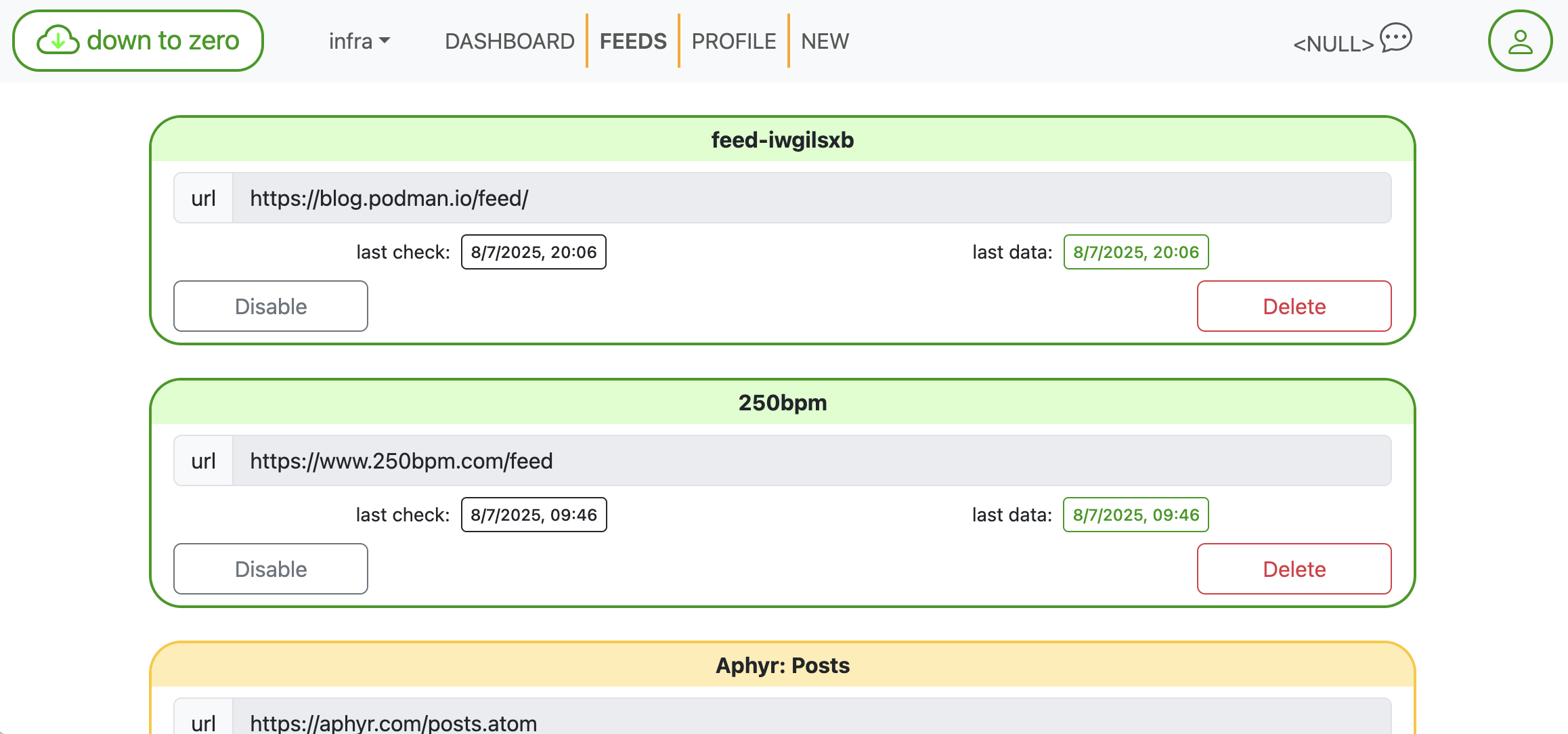
Schede compatte rendono la scansione e la manutenzione veloci.
Aggiungi feed senza cercare l’XML
Incolla qualsiasi homepage—troveremo noi il link del feed per te—o inserisci un URL RSS/Atom diretto. Un clic crea l’iscrizione. È pensato per la velocità quando sei in modalità “aggiungi cinque fonti”.
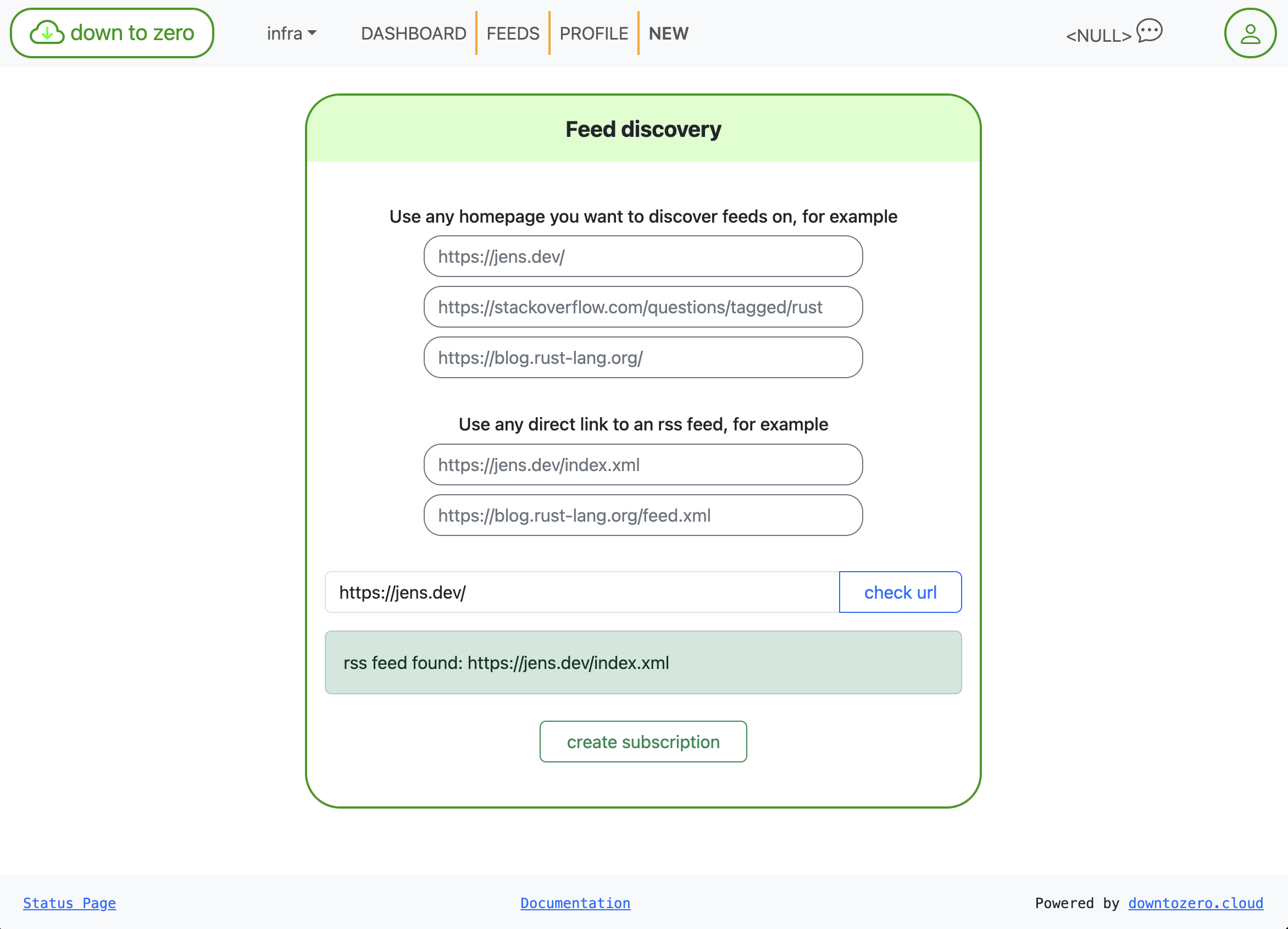
Scoperta del feed: incolla una homepage, lascia che troviamo il feed.
Email che puoi davvero leggere
Le email di notifica sono generate tramite template Mustache. Puoi modificare oggetto e corpo direttamente nell’interfaccia usando variabili documentate, così i messaggi si adattano al tono del tuo team (o alle regole della tua casella).
- Variabili disponibili:
{{title}},{{link}},{{description}},{{content}},{{date}}
Esempio:
Oggetto: {{title}}
Corpo:
{{link}}
{{& description}}
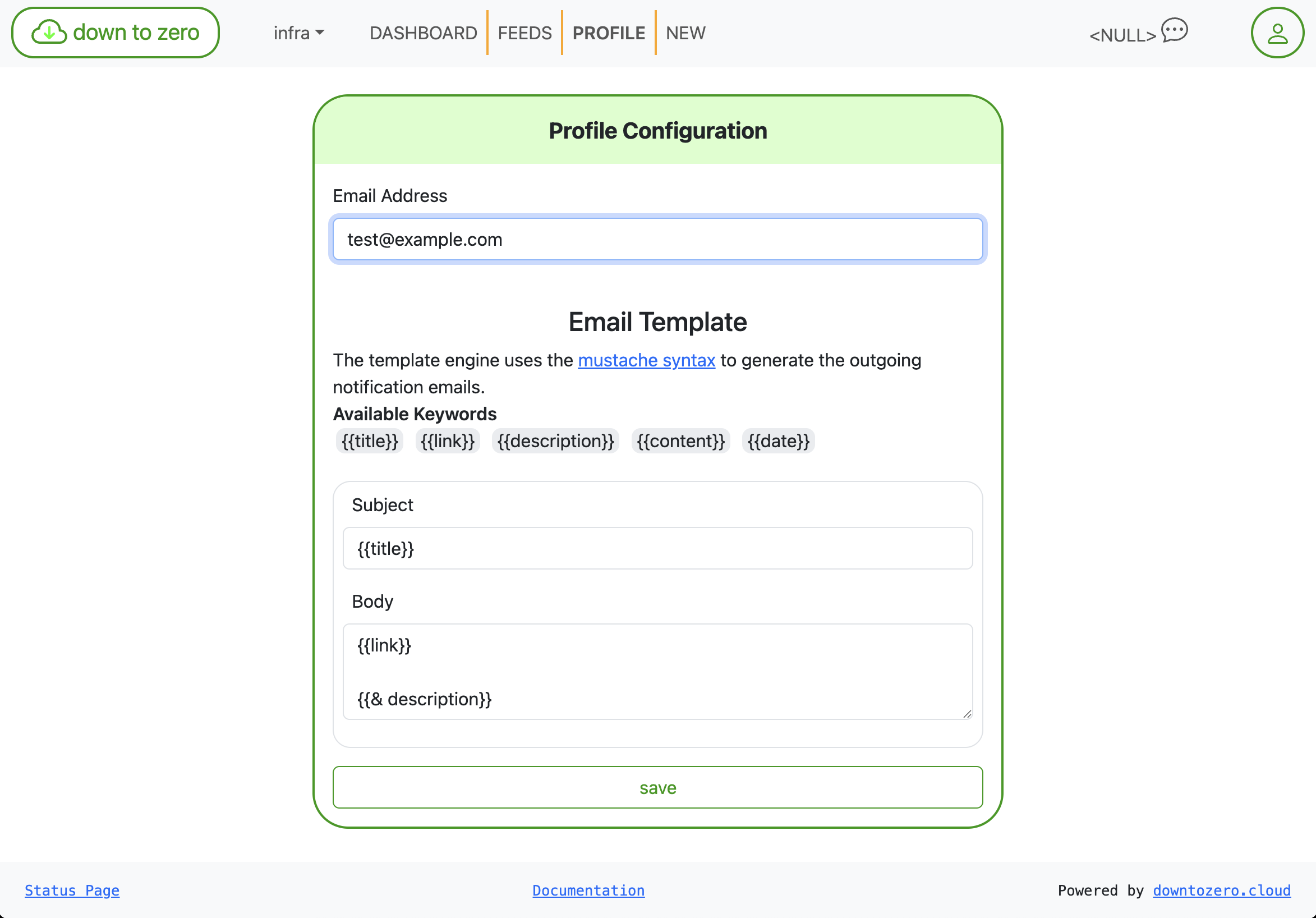
Regola oggetto/corpo con Mustache—nessuna ridistribuzione richiesta.
Piccoli dettagli che fanno la differenza
- Timestamp espliciti con formattazione coerente
- Schede arrotondate, aree di tocco più ampie e spaziatura più sensata
- Stato più chiaro in basso: i link Status Page e Documentation sono sempre visibili
Questo non è un elenco di funzionalità; è un intervento di qualità che rende rss2email più reattivo e affidabile nel quotidiano. Se usi già down to zero, i tuoi feed ci sono—solo più facili da gestire. Dicci cos’altro vorresti vedere.